Agentic Note-Taking: Transforming My Obsidian Vault with Claude Code

In January 2026, I finally subscribed to Anthropic Claude to use Claude Code. Initially, I worked on some coding and design projects. I experimented with different Claude models to create random designs I found on Pinterest, which helped me understand their capabilities while enhancing the style. I built a crypto wallet that connected to my Brave Wallet and displayed my Ethereum value. I asked it to review my financial plan and to give advice on investment. Additionally, I used Claude Code to add a unit test suite to my personal website, achieving 99% test coverage, and to speed up my Docker build by 90%.
Connecting Code to Knowledge Management
But then I read about people using Claude Code together with Obsidian, and I got interested. Obsidian had just released Obsidian CLI, a command-line interface to control Obsidian from the terminal.
Additionally, I discovered QMD, an on-device search engine for markdown notes, meeting transcripts, documentation, and knowledge bases, created by the CEO of Shopify. It integrates BM25 full-text search, vector semantic search, and LLM re-ranking, all running locally through node-llama-cpp with GGUF models.
At that time, I had collected more than 6,000 notes of various types (notes, quotes, literature notes, daily notes, personal notes, etc.). However, aside from some different templates and metadata, I lacked a clear concept for organizing my vault. I had a few folders, but the majority of the notes were in a pages folder. I saw this fantastic Obsidian Vault tour and decided to copy some ideas.
Reorganizing 6,000 Notes
First, I decided to introduce a folder structure. This makes it much easier for Claude Code to work on notes, and it also helps humans find things more easily. I decided on a structure that uses two different concepts in one note taking vault: the Zettelkasten method and the PARA method.
The Zettelkasten method brings the concepts of
- Fleeting Notes: Notes that are not yet worked out or not connected to other notes. My default location for notes is this folder using a Zettelkasten note format of
YYYYMMDDHHmm.mdto have unique filenames. - Permanent Notes: Notes that are well worked out and connected to other notes and are my ideas.
- Literature Notes: Notes that are directly taken from a source, such as a book, article, podcast, etc. They are not my ideas but the ideas of others, but summarized by me.
The PARA method brings the concepts of
- Projects: A series of tasks with a clear outcome and deadline. Here are all the things I work on in the short to medium term.
- Areas: A sphere of activity with a standard to maintain over time. Here are all the topics I am interested in.
- Resources: A topic or theme of ongoing interest. I use the resource folder mostly for reference material, such as books, quotes, people, companies, movies, etc.
- Archives: Inactive items from the other three categories.
├── 00 - Maps of Content
├── 01 - Projects
│   ├── Project 1
│   └── Project 2
├── 02 - Areas
│   ├── Essays
│   ├── Finance & Investment
│   ├── Fitness & Health
│   ├── Haiku
│   ├── Japanese Language
│   ├── Libertarism & Anarcho-Capitalism
│   ├── Obsidian & Claude Code
│   └── Spanish Language
├── 03 - Resources
│   ├── Books
│   ├── Clippings
│   ├── Movies
│   ├── Companies
│   ├── Literatur Notes
│   ├── Lyrics
│   ├── People
│   ├── Podcasts
│   ├── Prompts
│   ├── TV Shows
│   └── Quotes
├── 04 - Permanent
├── 05 - Fleeting
├── 06 - Daily
│   └── 2026
├── 07 - Archives
│   ├── Archived Item 1
│   └── Archived Item 2
├── 99 - Meta
│   ├── assets
│   ├── bases
│   ├── graphs
│   ├── references
│   ├── scripts
│   └── templates
└── pages
Besides these folders, I have a few other folders:
- Maps of Content: Here I create maps of content for different topics, which are basically notes that link to other notes on a specific topic. They are like tables of contents for a specific topic.
- Daily: Here I create daily notes, which are notes that I create every day to capture my thoughts, ideas, and tasks for the day. I use the format
YYYYMMDD.mdfor these notes. - Meta: Here I create notes that are not directly related to any specific topic but are more about the structure and organization of my vault. This includes templates, assets, scripts, references, etc.
- Pages: This is my old unsorted folder. I will clean it up and move it to the new structure over time.
Integrating CLI Tools and Visualization
I started with Claude Code and the /init command to teach Claude the structure of my new vault. It created a CLAUDE.md file in the root of my vault, which contains all the information about my vault, including the folder structure, templates, and other relevant information.
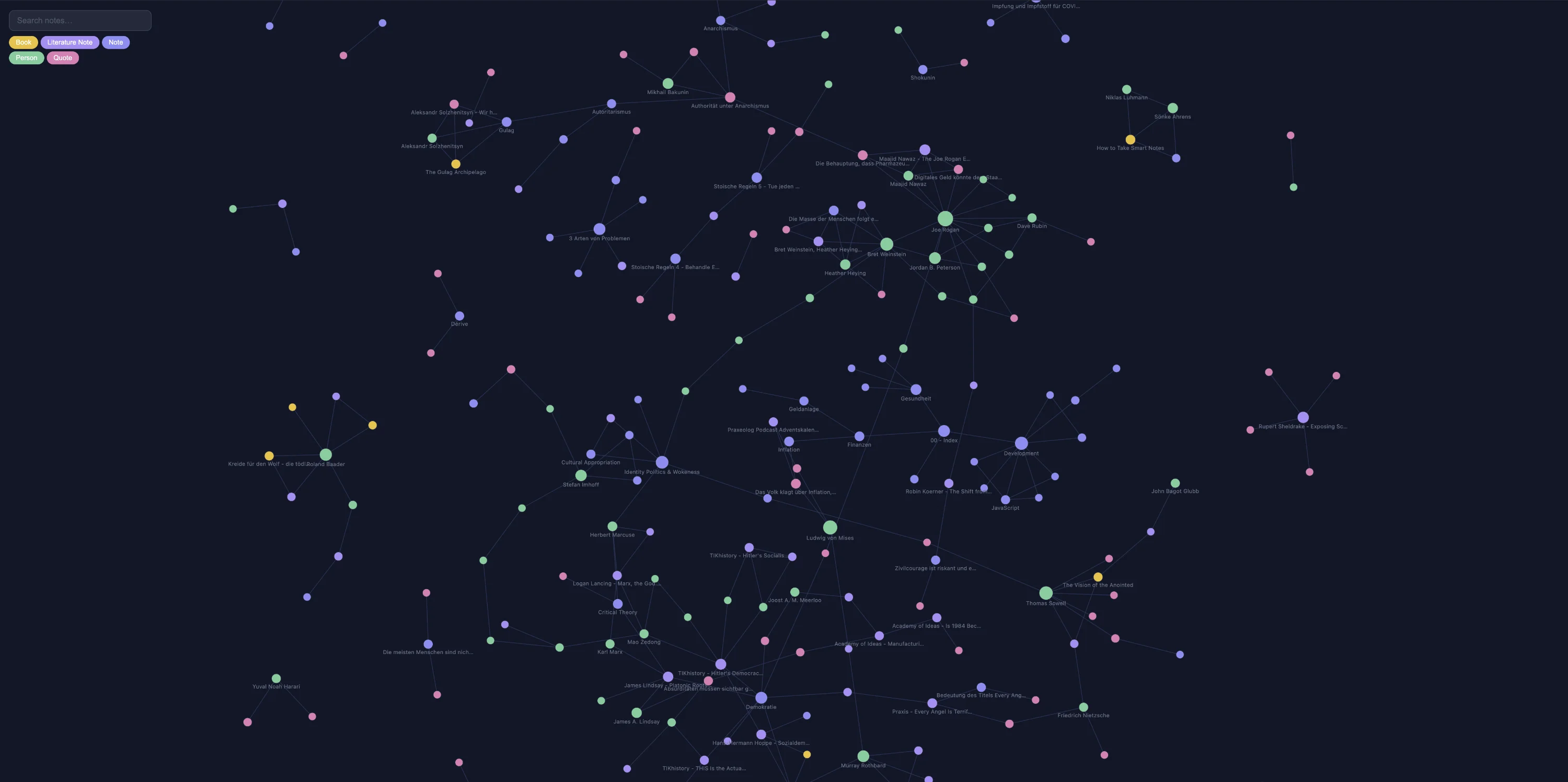
Next, I taught Claude Code to use the qmd and obsidian commands to manage my vault. The qmd command enables Claude Code to search for notes in my vault using the QMD search engine, which is significantly faster than the built-in Obsidian search. The obsidian command allows Claude Code to create, edit, and delete notes in my vault. I utilized this data to create custom interactive graphs with D3. Claude Code stored the scripts for this in the scripts folder for later use. Obsidian already has a capable built-in graph view, but with qmd and Claude Code, I was able to create custom graphs tailored to my specific interests. The graphs are also highly interactive.
The Great Cleanup: From Images to Metadata
My assets folder was a big mess, so I used Claude Code to clean it up. First, I had it convert all images of different types into the webp format, which is the smallest, supports transparency, and maintains good quality. I also had Claude Code sort specific assets into subfolders, such as photos of people or covers for movies and TV shows. Next, I had it analyze and rename all assets with useless or unattractive names. Claude Code utilized its image capabilities to examine the content and change the filenames to more descriptive names. And of course Claude Code made sure to update all links to the changed resources.
In my daily notes, I record the books I read, the movies or TV shows I watched, and the people I met or spoke with, among other things. I had linked several of these resources, but the notes didn’t exist yet. I always thought it was too much work to download a cover and write down metadata, such as directors for a movie, IMDb links, and actors. However, thanks to Claude Code, I can now manage all this work. Claude Code created scripts to download book covers, photos of people, covers for movies and TV shows, and various types of metadata for which I had YAML frontmatter fields. It downloaded, sorted, and renamed all my resources, then went through all my daily notes to create backlinks.
I asked Claude Code to review my daily notes and identify new types of resources. I also requested it to create templates and resources, as well as download the information. For instance, it created a podcast type and a company type for me, and then it went through my notes to add backlinks.
And all this was just the ideas I came up with and worked on in two sessions of 2-3 hours. Claude constantly wrote down information about my vault and how I work with it in its memory file.
What’s Next for My Vault
Next, I want to let it walk over all my notes and to extract all resources I linked (or not linked), all the books, people, podcast episodes, and much more. I will also ask Claude Code to create skills, agents, and subagents for my vault and seek advice on what else I could do usefully with my notes and vault.
As you can see, Claude Code is capable of much more than just coding. All the things you were maybe capable of doing as a developer, but thought weren’t worth the effort are now within reach. If you can think it, Claude Code will be able to build it. Especially for people who have never had contact with code or were frightened of it, agentic coding is a good learning experience. Multiple friends of mine who are designers started experimenting with agentic AI. The terminal is not as scary as it looks. Claude Code can explain any concept or code it writes, and there are also GUIs available for most coding agents.
I will dedicate half an hour each day to learning and experimenting with Claude Code. I have larger projects in mind, including a complete redesign of my personal website and other ideas. Additionally, I will continue using it with my Obsidian vault. The daily notes will be particularly useful at the end of the year, as Claude Code can analyze all the notes to identify patterns in behavior, thinking, habits, and moods. It will also connect various factors, such as linking unhealthy behaviors to a poor next day, and suggest improvements for health, nutrition, fitness, life, and skills. It can summarize what you ate, read, watched, and thought about. Markdown is the perfect format for LLMs to consume, and Obsidian is the perfect tool for creating and managing markdown notes. With Claude Code, you can easily manage and utilize your Obsidian vault in ways you never thought possible. The possibilities are endless, and I am excited to see what I can create with it in the future.